Weekend experiments: Digital Library
Building a digital library using Obsidian and Claude Code
Here's the playlist I used while I was working on this post. Listen to this while reading for the full effect.
Stealing this idea from Aryaman Vir's post on Riffle Studio. In my defense I had thought of it earlier but missed doing it several times. There's a world of difference between thinking about something and actually doing it. That may just be the key takeaway of this post :)
I love to read, but I'm one of those guys who'd catalog any book whose cover looks interesting, or is recommended by someone I admire, on Goodreads (lately Fable) and never look back at it again.
And instead of solving that problem (by perhaps cataloging less and reading more), I decided to make it worse by building such a book catalog for myself over Obsidian. Maybe there'd be a threshold on the number of to-read books that will then push me towards actually reading them? Who knows...
And why Obsidian? Oh boy, I'm having so much fun using it lately. I'll speak more to it later.
My approach to this was to build an Obsidian Base (basically a database of sorts) and make it look like a library where I can add reviews, other related artefacts and use the absurd number of CLI tools to do other fun things.
Here's how I did it - it took me < 20 mins to be set up with everything, most of which were spent fixing a nasty bug around displaying book covers.
Some background before we start
I wanted to push Claude Code to the limit. So instead of giving it step-by-step instructions and proper context files across a project (as I'd normally do for a small coding project), I felt ambitious and decided to one-shot it.
I spun up Claude Code on my terminal and decided to build this base without even touching the Obsidian app.
The pre-requisites for this project were:
- Claude Code (Pro subscription is more than sufficient for this)
- Obsidian CLI
- Obsidian Sync (which is a paid subscription but there are also free-but-less-convenient ways of doing it) + app on Android
Essentially the Obsidian CLI allows Claude Code to understand what Obsidian is and how to use it autonomously.
CLIs or Command-Line Interfaces, allow the user (human/AI agent) to send instructions to an app directly. They're taking over as the de-facto way to interact with any app (local/cloud-hosted) as Claude Code can do anything you can do by directly talking to the app in the terminal over a CLI.
The first CLIs appeared in the 1970s as a way to send instructions to the computer, before interactive GUIs were even a thing. This reminded me of this [substack note] that I made a long time back.
I won't go into much detail about the setup process, you may look into the docs or ask Claude Code for instructions if you've been feeling lazy about it.
Here's how it went
Since I had all the tools I need, I felt confident to use a single prompt and be done building the library.
Also, knowing that we'd need to fetch a lot of assets from the web for this, and to ensure that we have a context window large enough to accomodate all of that information, I decided to go ahead with the Claude Opus 4.6 model for this task. This was atypical of me as I typically use Sonnet (and sometimes even Haiku) for most of my tasks to save costs.
Here's the exact prompt that I used:

Note that there's none of that "imagine you're a world class developer" kind of a crap. With the AI models getting so good, they can take offense at you telling them who they are.

(urghhh, well...)
I'm glad I used Opus for it, because even though the script logic was not too long, and Sonnet would be easily able to handle this stuff, but there were about 94 links and I wanted accurate reproduction of all the links in the Python script that Claude Code would use.
So if you know that there are going to be a lot of lines of code getting written for a single task (in this case, Claude simply pushed the 100+ line Python script directly into bash), it's better to go with one of the larger models at your disposal to minimize risk of hallucinate/typos that smaller models tend to make more of.
In the first go, this is what I got:
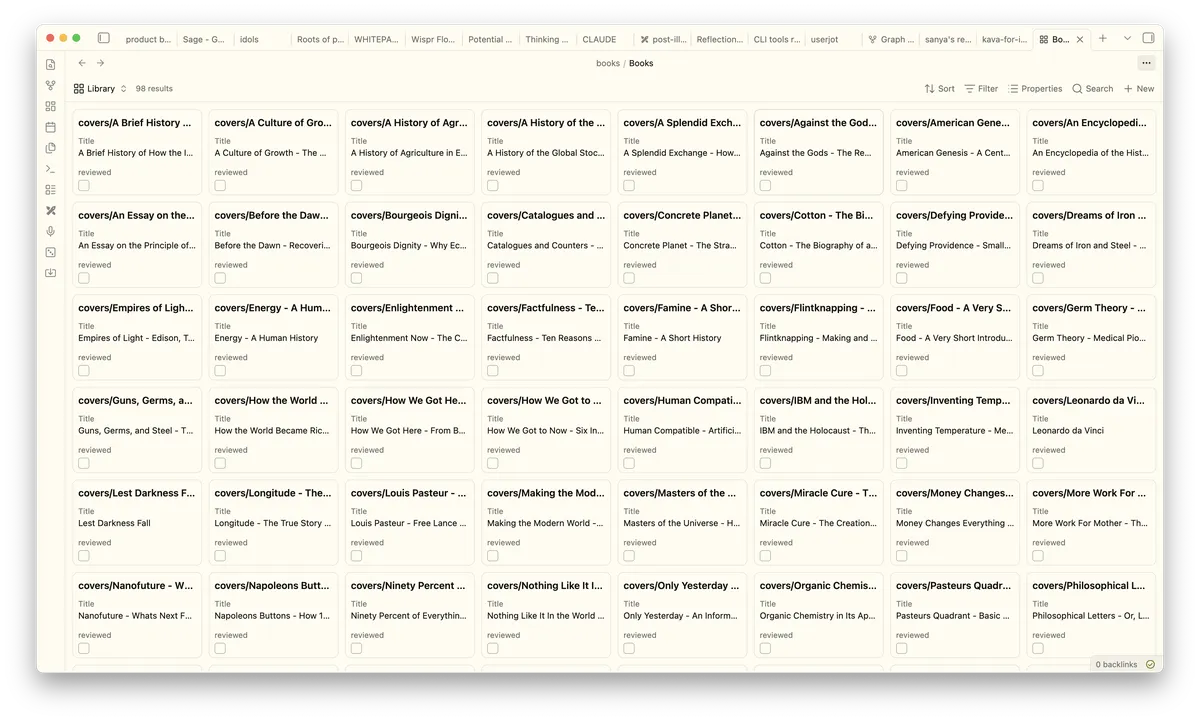
Hmm we're almost there but something seems off... Where are the book covers? When I clicked on one of the book listings, I could see the cover but it was not appearing properly here.
But my lazy bum didn't want to find out the issue, and instead used Claude Haiku 4.6 as I had spent a large chunk of my tokens already.
But here's where I got stuck - the model tried tinkering with link types and even went ahead to add book covers off Amazon directly. It correctly identified a YAML parsing error but it went about in circles even confusing me what's wrong with the project. 15 minutes down the drain with no new development.
I took a breath, spun up Opus again (with high /effort this time around), and this time instead of merely telling it what to fix, gave it more specific sources to look up. Obsidian Forum is a place I knew people have such discussions and CLI documentation can be reviewed. Here's the final prompt that I gave it to seal the deal.

Maybe it was the detailed prompt or the change of model and a higher effort setting, that Opus patiently took its time to go through multiple forum pages and CLI documentation and realized that we had defined images as text instead! Something that I had guessed earlier but was too lazy to tell.
My experience with models during coding/any kind of knowledge tasks so far:
- Smaller models (like the Haiku 4.6) can often give you a faster output, burn less tokens and are ideal if you also are invoking tools instead of making the model write everything on its own
- Larger models (like the Opus 4.6), especially the best coding models, use their large context windows to ingest all the files at their disposal and properly reason through them before giving out an answer. They burn a shit ton of tokens (and possibly sip more water per call)
Here's the final result. I'm more than happy with the result though!
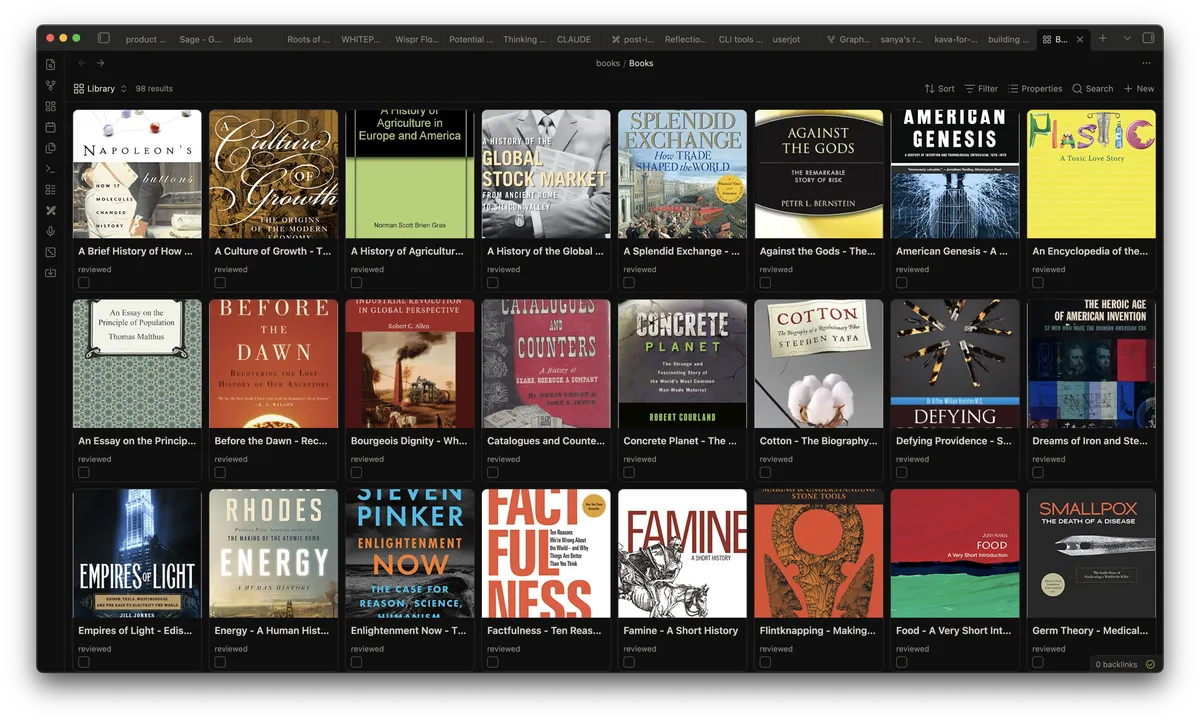
The "digital library" also looks good on mobile. Note that you should install Obsidian on your phone + set up sync (either through the official route or one of the many unofficial ways) for this to work.
Each link when clicked leads you to a free form book page, where you can add reviews and create wikilinks with other documents in your vault.
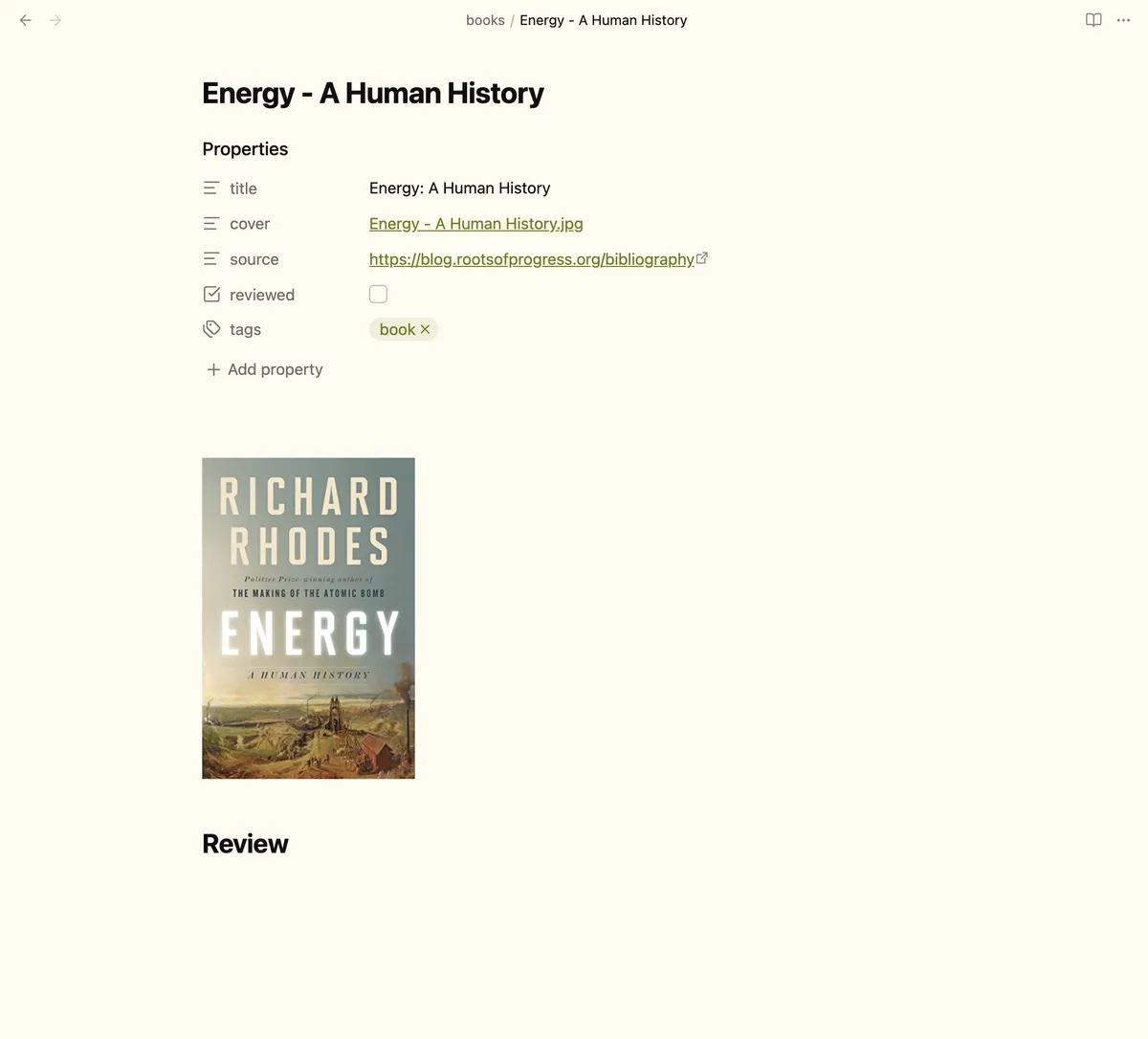
It's offline first, which means that this catalog lives exclusively on your devices and on no third-party servers. You can access it even with a patchy internet connection. It's also a good idea to stow away your internet devices if you're trying to read deeply ;)
Finally, I'd like to remind how amazing these tools are: they have the ability to eliminate friction between thought and getting things to action in a very powerful way.
But it's also very clear that this is just a quick turnaround project, a proper book cataloging app requires so much more than just these elements alone. UX, auth, cloud storage, social graphs - you name it. There are alternatives and none of these are being actively maintained and is not bloated at the same time.
But it's also very clear that this is just a quick turnaround project. A proper book cataloging app requires so much more: UX, auth, cloud storage, social graphs. There are some alternatives, but none of them are both actively maintained and non-bloated at the same time. The best-looking one (Margins) is iOS only. If you're thinking about this space, as a builder, a reader, or both, I'd love to hear from you.
If you've come this far, I appreciate you and bless your attention span.
Cheers,
Samyak